
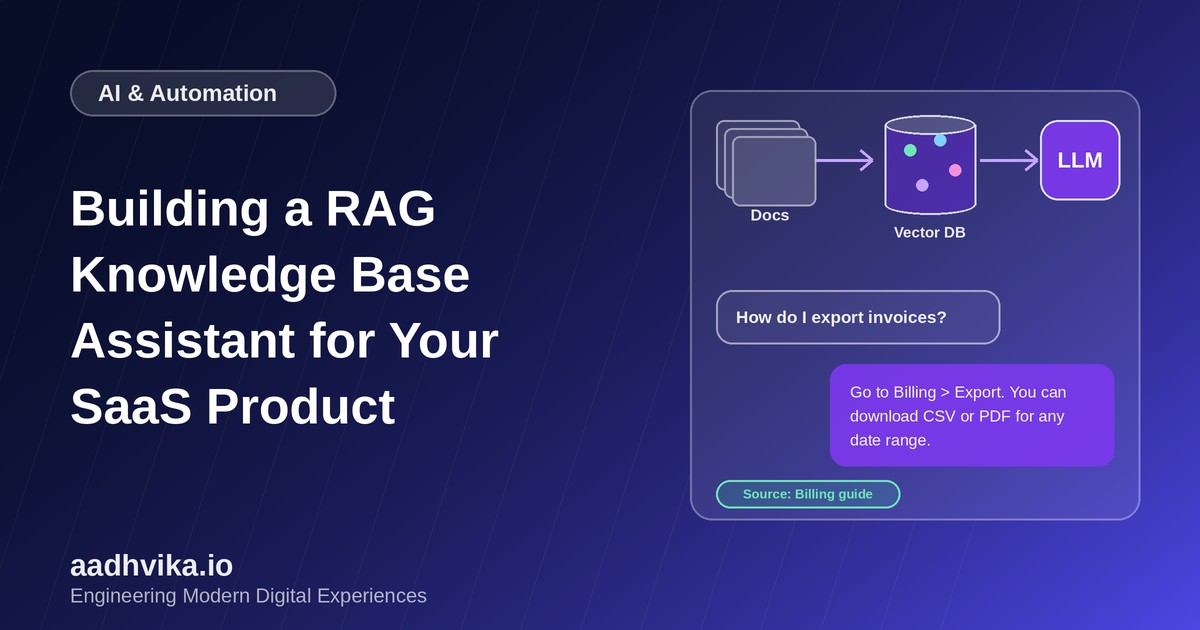
Large language models are impressive, but on their own they know nothing about your product. Ask a general chatbot how to export invoices from your app and it will guess. Retrieval-augmented generation, or RAG, fixes this by finding the relevant passages from your own documentation first and handing them to the model as context. The answer is grounded in your content, and you can show where it came from.
How RAG works
A RAG assistant has two phases.
- Indexing, done ahead of time: split your documents into chunks, turn each chunk into a numeric vector called an embedding, and store the vectors in a vector database.
- Answering, done on every question: embed the user's question, find the most similar chunks, and pass them with the question to the language model, which writes an answer using only that material.
Choose your sources
Good answers begin with good content. Typical sources for a SaaS product are the help centre, product documentation, release notes, past support tickets and internal runbooks. Clean them first: remove outdated pages, fix contradictions, and keep one source of truth for each topic. A RAG system will faithfully repeat whatever you feed it, including mistakes.
Chunking matters more than you think
- Split by meaning, such as headings and sections, rather than a fixed number of characters.
- Aim for chunks of a few hundred words, with a small overlap so ideas are not cut in half.
- Store metadata with every chunk: page title, URL, product area, plan tier and last updated date.
Embeddings and vector search
An embedding model converts text into a vector so that similar meanings sit close together. Store them in a vector database such as pgvector, which adds vector search to PostgreSQL, or a dedicated service. Search by similarity, then combine it with keyword search and metadata filters. This hybrid approach handles exact terms such as error codes far better than vectors alone.
Improve retrieval quality
- Rewrite the user's question into a clearer search query when it is vague.
- Retrieve more candidates than you need, then rerank them with a specialised model and keep the best few.
- Filter by the user's plan or permissions so people never see content they should not.
Prompting and guardrails
Tell the model to answer only from the supplied context, and to say it does not know when the context is not enough. Ask it to cite the source page for each answer. Add a clear path to a human for questions the assistant cannot handle. These simple rules cut hallucinations sharply.
Respect tenants and privacy
In a multi-tenant product, customer-specific content must stay separated. Store a tenant ID with every chunk and filter on it during retrieval. Avoid sending personal data to external model providers unless your agreements and privacy policy allow it, and mask sensitive fields where you can.
Evaluate before you launch
Build a test set of real questions with known good answers. Measure whether the right chunk was retrieved, whether the answer is faithful to the sources, and whether users find it helpful. Re-run the test whenever you change chunking, models or prompts. Track thumbs-up and thumbs-down feedback in production and review the failures every week.
Conclusion
A RAG assistant is a strong first AI feature for a SaaS product because it builds on content you already have. Start with a small, clean set of documents, retrieve carefully, keep the model on a short leash, and measure the results. Then expand to more sources as trust grows.