
Shipping a new version should never mean a maintenance window. For a SaaS product, customers expect the dashboard to work at 3 p.m. on a Tuesday even while your team is deploying. Zero-downtime deployment is the set of practices that makes that possible: new code goes live while old code keeps serving requests, and traffic moves across only when the new version is proven healthy.
Why downtime still happens
Most outages during a release come from a handful of causes: stopping the old process before the new one is ready, running a database migration that locks a hot table, or routing traffic to instances that have not finished warming up. None of these are exotic. All of them are avoidable with a repeatable release strategy.
Blue-green deployments
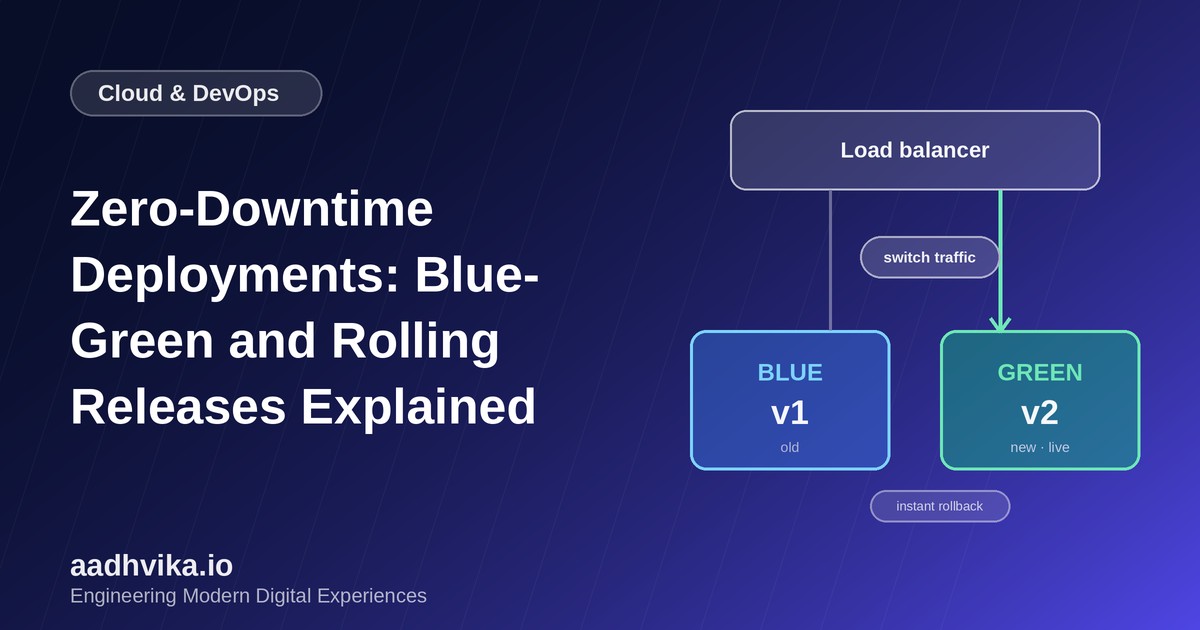
In a blue-green release you keep two identical environments. Blue is live. You deploy the new version to green, run smoke tests against it, and then switch the load balancer so green receives all traffic. If something goes wrong, you switch back to blue in seconds.
- Pros: instant cutover, instant rollback, and a full production-like environment for final checks.
- Cons: you pay for double the infrastructure during the release, and shared state such as databases needs extra care.
Rolling releases
A rolling release replaces instances one batch at a time. The orchestrator, such as Kubernetes or an AWS Auto Scaling group, starts new instances, waits for health checks to pass, then retires old ones. At any point, a mix of old and new versions is serving traffic.
- Pros: no extra capacity beyond a small surge, and it is the default in most orchestrators.
- Cons: rollback is slower, and both versions must be compatible while they run side by side.
Canary releases
A canary sends a small slice of real traffic, say 5 percent, to the new version and watches error rates and latency. If the numbers stay healthy, you widen the slice in steps until it reaches 100 percent. Canaries are the safest way to catch problems that only appear under real user behaviour.
Health checks and graceful shutdown
Every strategy depends on two basics. First, readiness checks that only report healthy once the app can truly serve requests, including database connections and caches. Second, graceful shutdown: when an instance is told to stop, it finishes in-flight requests, stops accepting new ones, and only then exits. Without both, even the best strategy drops requests.
Database migrations without downtime
Schema changes are where zero-downtime plans usually break. Use the expand and contract pattern:
- Expand: add the new column or table in a backwards-compatible way, with nullable columns and no dropped fields.
- Deploy code that writes to both the old and new structures and can read from either.
- Backfill existing data in small batches so you do not lock tables.
- Switch reads to the new structure.
- Contract: remove the old column in a later release, once no running version depends on it.
Because every step is compatible with the version before it, you can roll code back at any point without touching the database.
Feature flags: decouple deploy from release
Feature flags let you deploy code that is switched off, then turn it on for internal users, then a percentage of customers, then everyone. If a feature misbehaves, you disable the flag instead of redeploying. This works well alongside canaries and keeps releases small and boring.
Choosing a strategy
- Small team, standard web app: rolling releases with solid health checks.
- Critical paths such as billing or authentication: blue-green, with instant rollback.
- Large user base or risky changes: canary with automatic rollback on error-rate thresholds.
Conclusion
Zero-downtime deployment is less about a tool and more about discipline: backwards-compatible changes, honest health checks, graceful shutdown and small, frequent releases. Get those right and deploys become a non-event for your team and your customers.